





New modelers
Real-time Help and guidance for those who are new to EA or unfamiliar with your modeling standards.
Deliver Best Practice Modeling
Enterprise Architect supports many modeling languages and technologies. Each of these has their own standards, and many of them have been developed and augmented over the years. Which means there are plenty of industry-wide, domain specific publicly available guides available to modelers.
Reading, assimilating and applying best practice requires a significant amount of time and effort. But with aiExpert, all that knowledge is delivered to you inside EA.
Get feedback, implement and publish
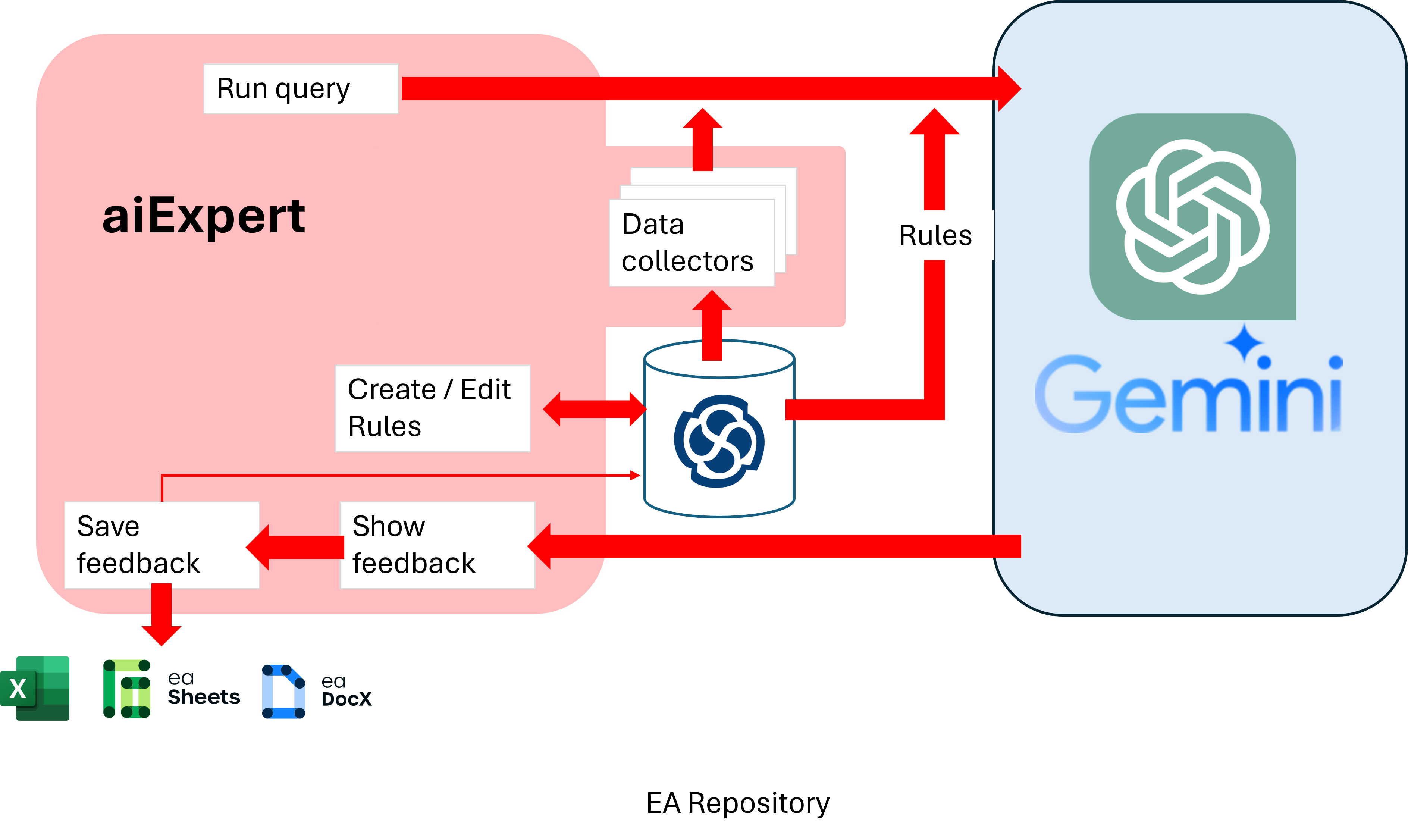
Send queries to the LLM including a diagram or package and the type of feedback you want, to receive best practice modeling language AND domain recommendations specific to the content of your model.
Results are displayed either on a diagram or as a list. You choose which ones to accept or act on. And the feedback can be saved as EA elements, so you can view and publish them in a spreadsheet or a document.
Ensure consistency?
As models grow, and more modelers add content, it can be difficult to maintain common standards. Different parts of the model can start to look very different. And then it’s difficult for everyone to share, understand and re-use the models. If everyone is trained to model the same way then this problem can be reduced, but still bad habits can creep in. And sometimes there just isn’t time to wait for the next training course, so new modelers have to ‘just do it’.
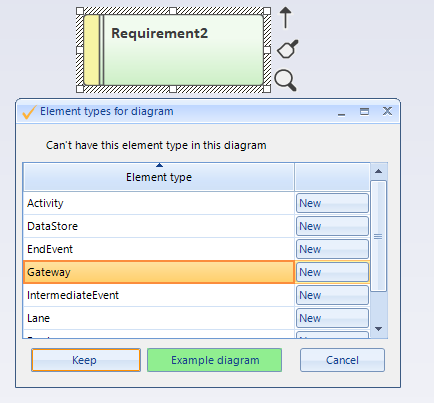
What if you could have a trainer sitting next to every modeler, giving them real-time feedback, correcting their mistakes and guiding them to follow your best practices? That’s what Model Expert guided modelling provides.
What does Guided modelling look like?
This video shows how Model Expert provides real time prompts and even a tailored UI to modelers so that their modelling follows the best practice patterns that are required.
The help and guidance is set up on a package by package basis based on reference models and diagrams that are saved in your repository.
And the rules and help that are provided can be set to either soft (advice) or hard (mandatory) modes, depending on what suits your team.

Simplify onboarding of new EA team members
Find out more about setting standards and supporting new modelers here.

Download Model Expert
Take a free, no obligation, 30-day trial of Model Expert. Model Expert including aiExpert, is part of eaTeamWorks, so you can also trial eaDocX, Revision Manager, eaSheets and PortfolioManager. Plus free for life features. Discover for yourself why it’s the world’s best-selling Enterprise Architect extension.
Download